Tuesday, May 10, 2022


Friday, October 18, 2019
Server Cleanup - because I'll need this later
Remove-Item $tempfolders -force -recurse
$DaysToDelete = 0
$temporaryIEDir = "C:\users\*\AppData\Local\Microsoft\Windows\Temporary Internet Files\*" ## Remove all files and folders in user's Temporary Internet Files.
$cachesDir = "C:\Users\*\AppData\Local\Microsoft\Windows\Caches" ## Remove all IE caches.
$cookiesDir = "C:\Documents and Settings\*\Cookies\*" ## Delets all cookies.
$locSetDir = "C:\Documents and Settings\*\Local Settings\Temp\*" ## Delets all local settings temp
$locSetIEDir = "C:\Documents and Settings\*\Local Settings\Temporary Internet Files\*" ## Delets all local settings IE temp
$locSetHisDir = "C:\Documents and Settings\*\Local Settings\History\*" ## Delets all local settings history
Get-ChildItem $temporaryIEDir, $cachesDir, $cookiesDir, $locSetDir, $locSetIEDir, $locSetHisDir -Recurse -Force -Verbose -ErrorAction SilentlyContinue | Where-Object { ($_.CreationTime -lt $(Get-Date).AddDays(-$DaysToDelete)) } | remove-item -force -Verbose -recurse -ErrorAction SilentlyContinue
$DaysToDelete = 0
$crLauncherDir = "C:\Documents and Settings\%USERNAME%\Local Settings\Application Data\Chromium\User Data\Default"
$chromeDir = "C:\Users\*\AppData\Local\Google\Chrome\User Data\Default"
$chromeSetDir = "C:\Users\*\Local Settings\Application Data\Google\Chrome\User Data\Default"
$Items = @("*Archived History*", "*Cache*", "*Cookies*", "*History*", "*Login Data*", "*Top Sites*", "*Visited Links*", "*Web Data*")
$items | ForEach-Object {
$item = $_
Get-ChildItem $crLauncherDir, $chromeDir, $chromeSetDir -Recurse -Force -ErrorAction SilentlyContinue |
Where-Object { ($_.CreationTime -lt $(Get-Date).AddDays(-$DaysToDelete)) -and $_ -like $item} | ForEach-Object -Process { Remove-Item $_ -force -Verbose -recurse -ErrorAction SilentlyContinue }
}
Write-Host -ForegroundColor yellow "#######################################################"
""
Write-Host -ForegroundColor Green "Powershell commands to delete cache & cookies in Firefox, Chrome & IE browsers"
Write-Host -ForegroundColor Green "By Lee Bhogal, Paradise Computing Ltd - June 2014"
Write-Host -ForegroundColor Green "VERSION: 2"
""
Write-Host -ForegroundColor yellow "#######################################################"
""
Write-Host -ForegroundColor Green "CHANGE_LOG:
v2.4: - Resolved *.default issue, issue was with the file path name not with *.default, but issue resolved
v2.3: - Added Cache2 to Mozilla directories but found that *.default is not working
v2.2: - Added Cyan colour to verbose output
v2.1: - Added the location 'C:\Windows\Temp\*' and 'C:\`$recycle.bin\'
v2: - Changed the retrieval of user list to dir the c:\users folder and export to csv
v1: - Compiled script"
""
Write-Host -ForegroundColor yellow "#######################################################"
""
#########################
"-------------------"
Write-Host -ForegroundColor Green "SECTION 1: Getting the list of users"
"-------------------"
# Write Information to the screen
Write-Host -ForegroundColor yellow "Exporting the list of users to c:\users\%username%\users.csv"
# List the users in c:\users and export to the local profile for calling later
dir C:\Users | select Name | Export-Csv -Path C:\users\$env:USERNAME\users.csv -NoTypeInformation
$list=Test-Path C:\users\$env:USERNAME\users.csv
""
#########################
"-------------------"
Write-Host -ForegroundColor Green "SECTION 2: Beginning Script..."
"-------------------"
if ($list) {
"-------------------"
#Clear Mozilla Firefox Cache
Write-Host -ForegroundColor Green "SECTION 3: Clearing Mozilla Firefox Caches"
"-------------------"
Write-Host -ForegroundColor yellow "Clearing Mozilla caches"
Write-Host -ForegroundColor cyan
Import-CSV -Path C:\users\$env:USERNAME\users.csv -Header Name | foreach {
Remove-Item -path C:\Users\$($_.Name)\AppData\Local\Mozilla\Firefox\Profiles\*.default\cache\* -Recurse -Force -EA SilentlyContinue -Verbose
Remove-Item -path C:\Users\$($_.Name)\AppData\Local\Mozilla\Firefox\Profiles\*.default\cache\*.* -Recurse -Force -EA SilentlyContinue -Verbose
Remove-Item -path C:\Users\$($_.Name)\AppData\Local\Mozilla\Firefox\Profiles\*.default\cache2\entries\*.* -Recurse -Force -EA SilentlyContinue -Verbose
Remove-Item -path C:\Users\$($_.Name)\AppData\Local\Mozilla\Firefox\Profiles\*.default\thumbnails\* -Recurse -Force -EA SilentlyContinue -Verbose
Remove-Item -path C:\Users\$($_.Name)\AppData\Local\Mozilla\Firefox\Profiles\*.default\cookies.sqlite -Recurse -Force -EA SilentlyContinue -Verbose
Remove-Item -path C:\Users\$($_.Name)\AppData\Local\Mozilla\Firefox\Profiles\*.default\webappsstore.sqlite -Recurse -Force -EA SilentlyContinue -Verbose
Remove-Item -path C:\Users\$($_.Name)\AppData\Local\Mozilla\Firefox\Profiles\*.default\chromeappsstore.sqlite -Recurse -Force -EA SilentlyContinue -Verbose
}
Write-Host -ForegroundColor yellow "Clearing Mozilla caches"
Write-Host -ForegroundColor yellow "Done..."
""
"-------------------"
# Clear Google Chrome
Write-Host -ForegroundColor Green "SECTION 4: Clearing Google Chrome Caches"
"-------------------"
Write-Host -ForegroundColor yellow "Clearing Google caches"
Write-Host -ForegroundColor cyan
Import-CSV -Path C:\users\$env:USERNAME\users.csv -Header Name | foreach {
Remove-Item -path "C:\Users\$($_.Name)\AppData\Local\Google\Chrome\User Data\Default\Cache\*" -Recurse -Force -EA SilentlyContinue -Verbose
Remove-Item -path "C:\Users\$($_.Name)\AppData\Local\Google\Chrome\User Data\Default\Cache2\entries\*" -Recurse -Force -EA SilentlyContinue -Verbose
Remove-Item -path "C:\Users\$($_.Name)\AppData\Local\Google\Chrome\User Data\Default\Cookies" -Recurse -Force -EA SilentlyContinue -Verbose
Remove-Item -path "C:\Users\$($_.Name)\AppData\Local\Google\Chrome\User Data\Default\Media Cache" -Recurse -Force -EA SilentlyContinue -Verbose
Remove-Item -path "C:\Users\$($_.Name)\AppData\Local\Google\Chrome\User Data\Default\Cookies-Journal" -Recurse -Force -EA SilentlyContinue -Verbose
# Comment out the following line to remove the Chrome Write Font Cache too.
# Remove-Item -path "C:\Users\$($_.Name)\AppData\Local\Google\Chrome\User Data\Default\ChromeDWriteFontCache" -Recurse -Force -EA SilentlyContinue -Verbose
}
Write-Host -ForegroundColor yellow "Done..."
""
"-------------------"
# Clear Internet Explorer
Write-Host -ForegroundColor Green "SECTION 5: Clearing Internet Explorer Caches"
"-------------------"
Write-Host -ForegroundColor yellow "Clearing Google caches"
Write-Host -ForegroundColor cyan
Import-CSV -Path C:\users\$env:USERNAME\users.csv | foreach {
Remove-Item -path "C:\Users\$($_.Name)\AppData\Local\Microsoft\Windows\Temporary Internet Files\*" -Recurse -Force -EA SilentlyContinue -Verbose
Remove-Item -path "C:\Users\$($_.Name)\AppData\Local\Microsoft\Windows\WER\*" -Recurse -Force -EA SilentlyContinue -Verbose
Remove-Item -path "C:\Users\$($_.Name)\AppData\Local\Temp\*" -Recurse -Force -EA SilentlyContinue -Verbose
Remove-Item -path "C:\Windows\Temp\*" -Recurse -Force -EA SilentlyContinue -Verbose
Remove-Item -path "C:\`$recycle.bin\" -Recurse -Force -EA SilentlyContinue -Verbose
}
Write-Host -ForegroundColor yellow "Done..."
""
Write-Host -ForegroundColor Green "All Tasks Done!"
} else {
Write-Host -ForegroundColor Yellow "Session Cancelled"
Exit
}
Tuesday, October 08, 2019
FreeBSD 12.0 Upgrade steps, because I'll forget.
#Edited 10/09/19 with comments
#I'm not 100% sure why you do this first, but I guess its to make sure the system you're on is up to date before upgrading
freebsd-update fetch
freebsd-update install
#This part starts thea actual upgrade to 12.0 by fetching all the components needed for the upgraded
freebsd-update upgrade -r 12.0-RELEASE
#After fetching everything this does the actual install
freebsd-update install
#now we have to reboot into the newly installed system
shutdown -r now
#this finishes the first part of the upgrade
freebsd-update install
#now at this point you need to reinstall all the pkgs/ports to the new ABI
#I'm going to use portmaster to do this and this is more or less from their man page.
cd /root
portmaster --list-origins > ~/installed-port-list
#this is because we're going to install these manually
#screen is optional and only matters if you're going to use it
vi ~/installed-port-list #remove pkg, portmaster, and screen
#I don't know why I have to do this, but it made a bunch of errors go away so I'm adding it to the process
pkg bootstrap -f
portsnap fetch auto
portmaster -ty --clean-distfiles
portmaster -Faf
pkg delete -afy
rm -rf /usr/local/lib/compat/pkg
#the man page says to copy anything you need from /usr/local/etc so I just copied everything temporarily
mkdir /root/etc
cp -Rf /usr/local/etc/* /root/etc/
#I commented this out so you don't just copy and paste and run this like a moron
#Manually check /usr/local and /var/db/pkg to make sure that they are really empty
#cd /usr/local/
#ls
#rm -rf /usr/local/*
#cd /var/db/pkg
#ls
#rm -rf /var/db/pkg/*
#now we're going to reinstall pkg, portmaster and optionally, screen
cd /usr/ports/ports-mgmt/pkg
make install clean
cd /usr/ports/ports-mgmt/portmaster
make install clean
#now using screen is totally optional, but since I'm installing all the ports again I find it helpful in case I step away or fall asleep while they're compiling.
cd /usr/ports/sysutils/screen
make install clean
cd /root
screen
#so the -P says to use a pkg if one's available and you didn't need to customize the port install
#the -y answers yes to all prompts
#the --no-confirm doesn't ask the user to confirm the list of ports
#the -D doesn't clean the distfiles
#you can change these flags to your own needs just consult the man page
portmaster -P -y --no-confirm -D `cat ~/installed-port-list`
#in case you're not familiar with screen the main things you need to know are
#ctrl+a then d to leave session
#screen -r to rejoin session
#assuming your install went well you're supposed to do this one last time, again don't know why, but that's what they tell you to do
freebsd-update install
#now we're supposed to do one final reboot before using our system in production
shutdown -r now
#if you're using ZFS (and why wouldn't you be?) remember to do this
#you can probably do this earlier, but I forgot until I did a zpool status -v
zpool upgrade
Some of this can probably be changed, I don't know, but so far it has worked.
Wednesday, January 30, 2019
A few new one-liners
FreeBSD Updates
cd /usr/ports/ ; df -hl ; pkg update ; pkg clean -y ; portsclean -C -D -DD -L -P -PP ; df -hl ; portsnap fetch update ; pkg version -vIL= | awk '{print $1}' | sed 's/-[0-9].*//g' | awk '{printf "%s"" ",$0}' | sed 's/^/portmaster -P -y --no-confirm -D /g' | sh ; pkg version -vIL= ; pkg audit -F ; df -hl
Requires portmaster and portupgrade to be installed and prefers ports over pkg - what can I say I hate myself
CentOS Updates
clear; yum clean all; rm -rf /var/cache/yum; yum -y upgrade --skip-broken; package-cleanup --problems; package-cleanup --dupes; rpm -Va --nofiles --nodigest;I think this requires yum-utils be installed to do the cleaning bits
Debian Updates (also obviously works on Ubuntu)
clear; apt-get update ; apt-get upgrade ; apt-get dist-upgrade; apt-get autoclean; apt-get autoremoveOpenBSD Updates
I cheat and use openup, a currently free service provided by mtier - more information can be find by going to https://www.mtier.org/solutions/apps/openup/
* so yeah that FreeBSD one isn't "simple" but it does a bunch of stuff I need it to do.
Feel free to use these or whatever, I don't really care.
Wednesday, August 29, 2018
Diet and Exercise
That's all.
Thursday, August 02, 2018
It doesn't get easier to deal with loss
I don't mean to imply that you never get over loss. I mean we all get over losses eventually, it mostly depends on the impact of the loss. What I really mean is sometimes it weighs on you and the way it affects you changes, but that feeling never goes away completely. This is especially true when someone dies, or at least it is still true for me and the death of my father. He would have been 52 this year, his Birthday would have been just a few days ago. We lost him almost two years ago and he was buried in Arlington, or his ashes were, just over a year ago now.
We weren't particularly close, not like some parents are with their kids. I think we're both to blame for that. I miss him though, almost every day. Funny thing is, I didn't think I would. Which I guess is a lousy thing to say, but what I mean is I didn't realize the impact his death would have on me. His death, albeit tragic in it's own way, was both expected and not. He had his demons and they ultimately led to his death, but we just didn't expect it to happen to him so young.
I find myself thinking about him, wondering if I could have done anything to change the circumstances of his death or the long set of events that would ultimately lead to it. However I also remind myself that I was just a kid when he started drinking heavily and I didn't have any control over him.
I sometimes wish I could ask him advise on things. Just about cars or things around the house or even parenting. But I can't. And I think about all the moments in my life he's missed, both now and when he was alive. I wish I could have asked him so many things before that I will never get a chance to ask him now. These are the things I still think about.
The funny thing, and maybe funny isn't the right word, and I may have talked about this before, but he wasn't even my biological father. Of course my parents in their finite wisdom didn't officially acknowledge this until I was 18, though on some level I had made this determination years earlier, around 12 or 13. I had discovered my father's original enrollment papers in the army and the dates didn't make sense because I knew how long it took for a baby to born, but I never said a thing, going along with the "secret". I'd really like to ask him why he never said anything. My mom is still here and I could ask her, hell she lives with me now, but I can't find a way to bring it up. I have so many questions about my bio dad too.
My wife Facebook stalked him for me, thanks to some information my grandma had (my dad's mom - just to make this slightly less confusing). It seems that I have at least one step brother and sister, though I don't know if that's the right way to say that about the offspring of someone who is in my mind just a sperm donor. I don't know why I am sharing all this, maybe it's over sharing, but I don't care these are all thoughts I'm having.
Wednesday, December 06, 2017
Sunday, November 19, 2017
Quick weight loss update
So it's just a few days before Thanksgiving and I got on the scales to find I am now down to 318. Recall I started at 344 so that's 26 lbs to date.
I've been having to walk my mom's dog, as she's been out of town, so I have been hitting my step goal in Garmin Connect for the past seven days.
Plus continuous calorie tracking in MyFitnessPal seems to be helping me make sure I keep my self on track to lose weight.
That's it for now, just a quick update.
Wednesday, November 08, 2017
freebsd postfix python policyd-spf ip addres validation error
_cidrmatch in /usr/local/bin/policyd-spfdef _cidrmatch(ip, netwrk)
netwrk = unicode(netwrk)
ip = unicode(ip)
try:
address = ipaddress.ip_address(ip)
switching to python3 as suggested by other posts on the web did not work for me (maybe some missing dependencies?)
Stolen from here, but it worked:
https://superuser.com/questions/1253657/freebsd-postfix-python-policyd-spf-ip-addres-validation-error/1253658
CIDR.pm
So for whatever reason the CIDR.pm file uses on my FreeBSD setup doesn't work for MailScanner.
II had to comment out these croak lines and now it works just fine
diff  /root/CIDR.pm /usr/local/lib/perl5/site_perl/Net/CIDR.pm
218c218
< The result is a two-element array:
---
> The result is a two-element array:
437c437
<
---
>
596,597c596,597
<           #croak "Invalid netblock range: $r[$i]"
<               #unless $isipv6_1 && $isipv6_2;
---
>           croak "Invalid netblock range: $r[$i]"
>               unless $isipv6_1 && $isipv6_2;
794c794
<     my $mismatch = shift;
---
>
801c801
<     if (!$isipv6_1 != !$isipv6_2)
---
>     if ($isipv6_1 || $isipv6_2)
803,805c803,805
<       return $mismatch if defined $mismatch;
<       #croak "Invalid netblock: $aa-$bb";
<    }
---
>       croak "Invalid netblock: $aa-$bb"
>           unless $isipv6_1 && $isipv6_2;
>     }
810c810
<     #croak "Different number of octets in IP addresses" unless $#a == $#b;
---
>     croak "Different number of octets in IP addresses" unless $#a == $#b;
979c979
<
---
>
1014,1015c1014,1015
<       next if _ipcmp($b[$i], $lo, -1) < 0;
<       next if _ipcmp($hi, $a[$i], -1) < 0;
---
>       next if _ipcmp($b[$i], $lo) < 0;
>       next if _ipcmp($hi, $a[$i]) < 0;
1284a1285,1286
>     $v =~ s/([0-9A-Fa-f]+)/_triml0($1)/ge;
>
1291a1294,1299
> sub _triml0 {
>     my ($a) = @_;
>
>     $a =~ s/^0+//g;
>     return $a
> }
Sunday, November 05, 2017
Gym Time
I actually enjoyed it a lot, I noticed that I hard time not smiling.
I spent the entire on the treadmill and after 65 minute I covered 3.9 miles.
It was, according to myWellness cloud, my fastest pace for 3 and 5 kilometers, at 16:41 per mile.
At the end I was totally drenched in sweat, my shirt on the front and back, was totally soaked.
I also logged just over 8,000 steps on Garmin Connect.
I guess that's it really, but I just thought I would share.
See not everything I post is stupid work stuff, sometimes its also stupid me stuff.
One Massive Screw Up
Last week I decided to continue my FreeBSD 10.3 upgrades and decided to tackle all five of these machines at the same time to 11.1.
Everything went well, or so I thought.
Turns out somewhere in the upgrade process when I upgraded all the ports the MailScanner port decided to over-write all the config files and so we would up with a very malfunctioning mail scanner.
Plus due to some other strangeness, the servers were eating up all of their memory.
Well I wasn't sure why, but nailed it down to MailScanner.
So I reinstalled MailScanner and all of its dependencies.
That didn't do anything.
It was next figured out that a configuration file had been renamed, but the original still existed so a quick copy fixed that error.
Then an issue was discovered in the antivirus scanner used by MailScanner, this was resolved by making a quick change to a configuration file.
It was then discovered, that the Bayes database had grown to large to be useful, in excess of 5GB and it was trying to load that into memory.
The database was purged and an automatic process was put into place to purge the database once a week.
Finally, as an extra precaution the main MailScanner configuration file was modified to reduce the maximum number of children processes running at a time.
This limits the amount of mail that can be processed, but also ensures the memory used didn't exceed what was available
Anyway, all of this kept the mail for being delivered for a few hours.
I don't have anything technical to report about it, just this horrible synopsis.
The bad part is I still have a bunch of servers I need to upgrade.
Oh in coincidental and slightly related news the migration from self-hosted Exchange 2010 to Office 365 is ongoing, but working smoothly. I guess I shouldn't be surprised. The documentation is rather exhaustive, both official and otherwise.
I managed to migrated my own mailbox as a "proof of concept" and before I move any others I'll be testing it like crazy. Of course because I am not changing the mail flow until we're all off Exchange 2010 I need to make sure that the MXs continue working as expected.
Tuesday, October 24, 2017
I'm a work-a-holic
I had the day off to deal with the dryer issue - see my previous post - and I spent a good chunk of the day working, as though it's somehow so important that I can't stop working even on my day off. That is the biggest lie I think I've ever told myself and I only realized it tonight as I was, you guessed it working.
Now I have a wonderful sweet child and a wife I could've been spending the day with and I did spend some, we went to the zoo which was great because I love the zoo, but what did I do before and after that? Work. I worked on something on my day off. Why? Why would I work for free? I don't get it anymore.
I think I need to just figure out a way to stop working that would be the first best step, but I don't know what that would be. Write before I wrote this blog entry I wrote a kind of angry email to my co-workers about stuff that broke today and how I didn't agree with their fix for it. Of course I wasn't even there so my opinion is invalid and I shouldn't have even been involved because I was off.
I don't know.
I do this all the time too, Christmas, Thanksgiving, even the week I took off to attend my father's funeral in Arlington I worked from there too. WHY? I have wasted so much time these last 8 years working when I could be doing something else. God when I think about it like that I really hate myself because I've not only robbed myself of time, but also my family and if I can say so friends, of which I have very few.
I am just going to have to create a mental work block, and put my foot down - perhaps I can come up with something better than that. My co-workers seem great at not working after work, some of them seem great at not working while they're at work. Why can't I just not work when I don't need to be.
I think to begin with I'm going to scrap my maintenance windows - because I'm the only one who has EVER done them. I asked for a dedicated maintenance window about two years ago and I got it, but aside from two instances where I got assistance because I asked for it I don't think anyone of my co-workers have ever setup or even thought to setup maintenance on anything. So why should I? That would give my back my 3rd Saturday and Thursday nights.
Who am I kidding though I'm already thinking about work. All the work I need to do tomorrow and all the work I need to do the next day. I hate myself.
Dryer out of commission
 | |
| No Worky |
 | ||
| American Home Shield |
In the meantime since Saturday we've used the tried and true method of hanging our clothes outside, because going to a laundromat can get pricey and the washer still works so this seemed like a good idea.
 | |
| This morning's laundry |
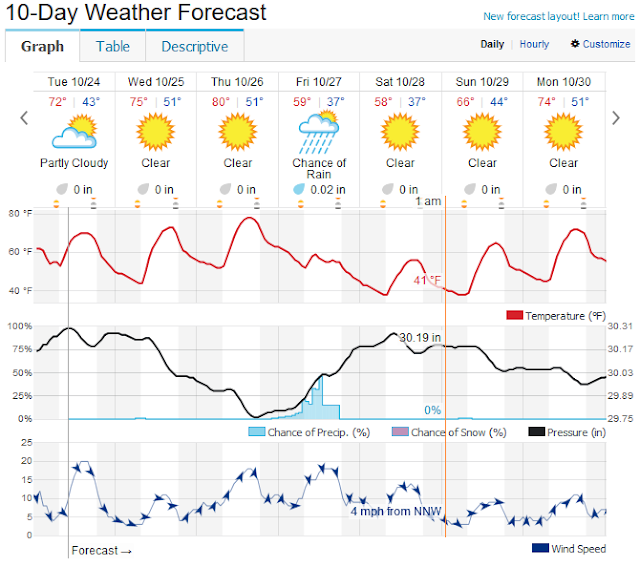 |
| Weather is getting colder, a lot colder |
I'll be updating this post after they get here and provide their initial diagnosis and/or fix it. I'm not expecting anything good though and have already been searching the appliance stores for new dryers in the sub $500 range because at this point I just want a working dryer.
-- Update 11:15 AM --
Around 10:15 the Sears repair showed up. They went straight to work and 45 minutes later it seems to be working just fine again. They literally took the whole machine apart and checked everything. I was actually quite impressed. In the end the part that goes from the lint trap back to the back where it leaves the machine was apparently FULL of line and other debris. He cleaned everything out. Once he got it back together he ran the machine, empty, for over 10 minutes. Well I guess it was ten minutes total, but he stopped it a few times to check stuff. He also said that everything was in good working condition. I have no reason to doubt them.


So I just started a new load of laundry and will be drying them in an hour or so. I'm just going to leave those white clothes outside to air dry. I'll post an additional update once I get that in there and let you know if it actually works when it is full of wet towels.
-- Update 2 --
I wasn't paying attention to the time but sometime before 1:00 PM I started the dryer and sometime after 4:00 PM I got home and in between then the clothes dried and the dryer works again. That's it really. I have a second load of clothes in the dryer already and a 3rd load in the washer which will HOPEFULLY catch us back up again. Anyway that's all for laundry.
Saturday, October 14, 2017
New shoes.
I bought some new work shoes at Skechers. My old shoes were literally falling apart, not to mention scuffed and uncomfortable because I had worn out the insoles. One of the downsides of being morbidly obese I suppose. The new shoes have memory foam, which seems to add to their comfort.
While I was there I bought some new tennis shoes, as well, for the gym. They're green, but comfortable. I don't really know what else to say about them. In fact I did over a mile on them last night at the gym. They were also 70% off. Originally $120 and now $36 plus tax of course. We'll see how long they last, but I was comfortable with that price.

Tuesday, October 10, 2017
The Meeting


Monday, October 09, 2017
I sometimes wonder why I care...
Twice now in three days there have been work related outages. Both times I was the first to notice, thanks to anag on my phone. I then via text and email notified my coworkers. Hours later they would respond or acknowledge reading the message, because I make it a point to do read receipts.
I just don't know why I try. Apparently I am the only one who really cares or the only one who wants to deal with it. Maybe it's both. I don't know.
I guess I am just frustrated more than anything. My coworkers are either apathetic or I'm trying to hard. Oh well not like anything will ever change. It never does. Meeting after meeting nothing changes. Day after day, week after week, month after month, year after year nothing changes.
Maybes I need to make a change.
Saturday, October 07, 2017
I am not dead, in fact I am doing quite well.
It has been a long time since I last posted anything. I am going to try to do this again more regularly.
In the interim a few things have changed and a lot of things are the same. My dad died. It was last October. You can see the obituary here. Yes, for some reason my daughter's name is well just completely wrong, but it is what it is. After that we moved mom in with us. It's been a new experience, but an enjoyable one being close to family and my daughter loves it too. He was buried in Arlington National Cemetery. He is in section 55 grave 3315. If you download the ANC explorer app you can actually see the headstone which is not actually as strange or morbid as it may sound.
My daughter started school last year. My wife got a position as a music teacher at a private school in Tyler. Therefore Evie was also able to go to that school. I think they both liked it. This year, however, my wife is not working that job anymore, and my daughter is being homeschooled. I'll likely post more on this later.
Otherwise I am still working at my same employer. Still pretty much doing the same thing. You can view my LinkedIn profile if you are curious.
So more recently I have for the first time in a long time tried to actively lose weight. As part of that I have actually joined a gym, although technically my wife joined first and I ended up adding myself to her membership, some time later, because it wasn't much more expensive. Now that we're tied into a one year commitment I have found a motivation to go fairly regularly. It has been almost three months since this journey began. I have to say that I have actually been enjoying going to the gym.
The gym is through one of the local hospitals in town and it's pretty close to the house which makes it convenient. They have lots of weight equipment, a spin class that I currently have no intention of going near, a pool and otherwise all the equipment you would expect to find in a gym, I would imagine. Except that this equipment is all networked and uses something called MyWellness, there are apps for that too. They keep track of your exercises and use a metric called moves to tell you how active you are.
I also purchased a Garmin Vivosmart HR+ because well it seemed like a good idea at the time. I found one on eBay factory refurbished. It was less than half of the retail price. I think it works great in so far as helping me keep track of my steps and otherwise it's a nice watch. Plus the phone integration is helpful with incoming calls and texts and other notifications.
Another neat app I have been using is MyFitnessPal. It is owned by Under Armour, but it's still a great app. You can use it to keep track of your food intake and it syncs with the Garmin Connect app used by my Vivosmart HR+ so it knows how many calories you have expended. It syncs with a bunch of other apps too. My wife has a Fitbit and it syncs between their app as well.
It seems this post has turned into me talking about fitness. Kind of funny I guess. Though to be honest, it's actually been working out. In the 82 days since I started this I've lost twenty pounds. That's about a pound every 4.5 days. Which I think is a fair rate of weight loss and more importantly sustainable.
Much more recently, however, I have, at the request of my wife, been trying to do this whole30 thing. To be honest I don't know much about it and I am still reading the book but so far it's been difficult. Especially cutting out sugar and wheat because that's in pretty much everything we have in our pantry. We're making it work, I think. I can't say I have been 100% strict, but I am trying. We're one week in and I am sure that I will post more about it as the month goes on.
Anyway that is enough for now I think.
Tuesday, July 14, 2015
Adobe updates Flash/Shockwave (again); Mozilla auto blocks Flash; Facebook calls for its death;
-
It's funny sometimes, you think that you did something good by figuring out why something isn't working, but instead people assume y...
-
This is a gross exxageration of what my hair looks like. I combed it all out and up as opposed to down and over. Scary isn't it.
-
It has now been 1 month since I got married to the most wonderful, beautiful, amazing girl in the world. I love her. I really do. I am ge...
